

UEFITool
Read our comprehensive review of UEFITool, the premier open-source UEFI firmware image viewer and editor for Linux power users and system developers.
Imagine you are troubleshooting a stubborn system boot issue, or perhaps you are a developer needing to inspect the underlying structure of your motherboard's firmware. In these highly technical scenarios, standard file managers and binary editors simply won't cut it. You need a specialized tool that can safely unpack and interpret complex firmware structures. That is where the UEFITool UEFI firmware image viewer comes into play, offering a reliable, cross-platform solution for firmware analysis.
What is the UEFITool UEFI Firmware Image Viewer?
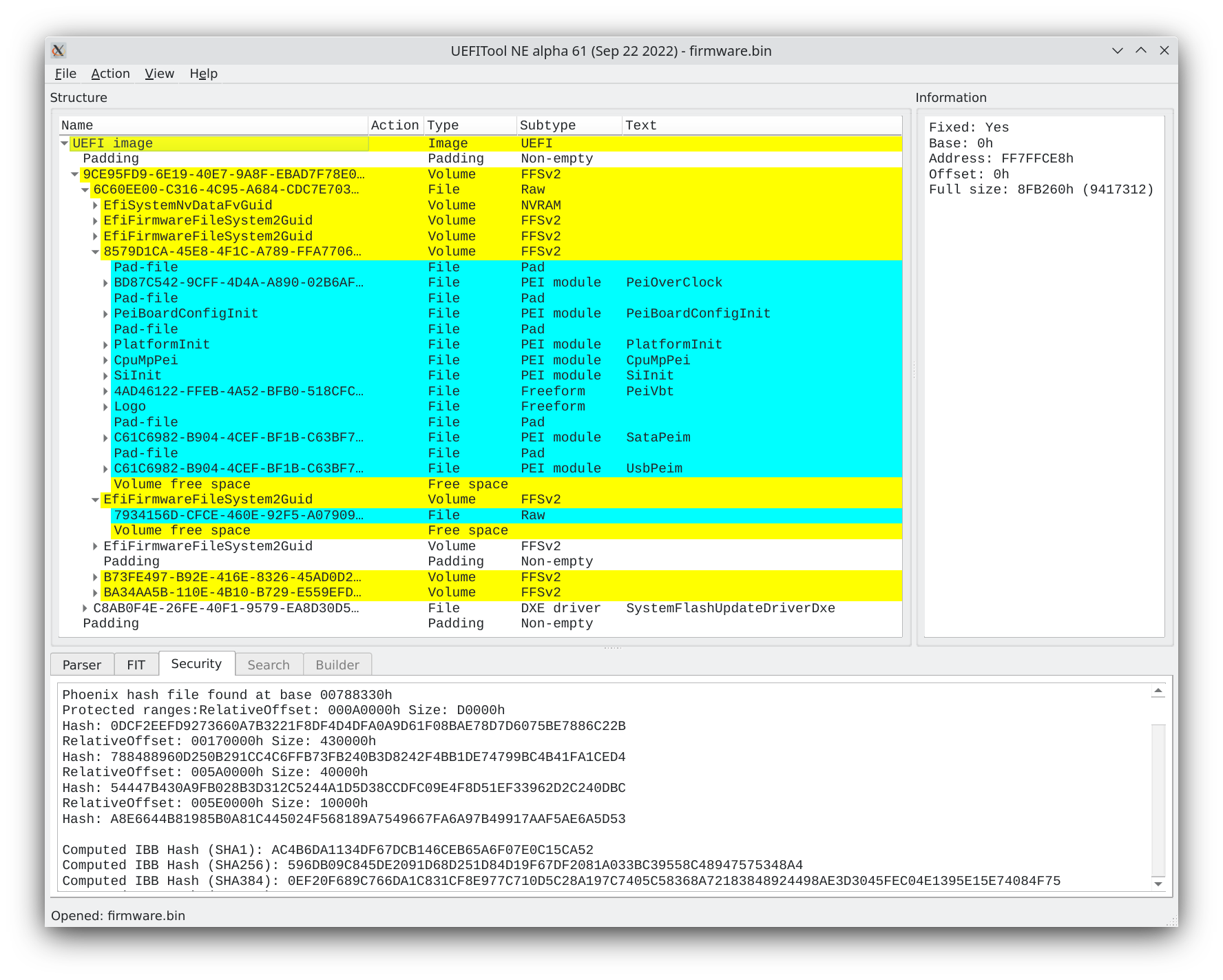
Developed by LongSoft, UEFITool is an essential utility designed specifically for the IT-tools category on Linux. It functions as a dedicated UEFI PI-compatible firmware parser, translating raw binary data into a highly readable, interactive tree structure. Whether you are verifying the integrity of an image or preparing to make precise modifications, this application provides the visual interface and backend parsing logic required to do so without corrupting critical system components.
Key Features and Capabilities
- Visual Tree Parsing: Converts complex, nested UEFI firmware images into an organized, expandable visual hierarchy.
- Integrity Verification: Automatically checks the structural validity of the firmware to ensure it complies with PI specifications.
- GUI-Based Manipulation: Provides an intuitive graphical user interface to view, extract, and safely manipulate specific image elements.
- Open-Source Reliability: Maintained as an open-source project, ensuring transparency and continuous community-driven refinements.
Who is this Tool For?
This software is built for system administrators, firmware developers, and hardware enthusiasts who require deep visibility into low-level system code. Because firmware modification carries inherent risks, having a structured UEFITool UEFI firmware image viewer ensures that you can inspect files thoroughly before committing any physical flashes to your hardware.
Explore the Official Release
If you are ready to streamline your firmware engineering workflow or begin analyzing system images on Linux, this utility is highly recommended. To explore its features firsthand, head over to the official Flathub store page to learn more and view the official distribution channels.